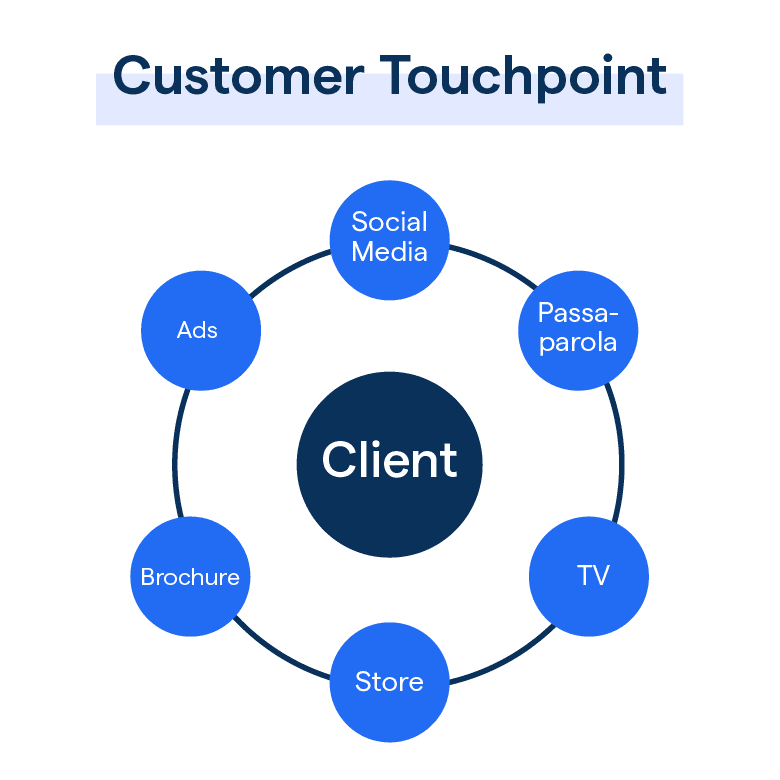


Chatbot customer touchpoints are the moments across the buyer journey where a business deploys automated conversations to engage, qualify, or support the customer.
What is a Chatbot Customer Touchpoint?
Chatbot customer touchpoints are a type of buyer journey mapping concept that defines the specific moments where an automated conversation reaches a customer. Each touchpoint represents a distinct context: the customer is at a different stage of awareness, with different intent and different expectations of the interaction.
Common chatbot touchpoints span the full buyer journey. They include a proactive chat widget triggered on a website visit, a conversation opened by a Click to WhatsApp ad, and an inbound WhatsApp message from a customer seeking support.
Further along the journey, a notification sent after an order is placed and a broadcast sent to a dormant contact each represent a distinct automated touchpoint.
What makes a touchpoint valuable is alignment between the moment and the message. A chatbot that triggers on a pricing page with a qualification question is well placed. A chatbot that interrupts a first time visitor before they have read anything is disruptive.
BotPenguin is a no code chatbot platform that enables businesses to deploy automated conversations across every buyer journey touchpoint, from ad click to post purchase support, across WhatsApp, website, and Instagram from a single platform.
How BotPenguin Handles This
BotPenguin supports touchpoint deployment across six channels with triggers configurable by page, time on site, message keyword, or broadcast schedule.
Businesses that deploy BotPenguin chatbots across five or more buyer journey touchpoints see an average of 4x more automated customer interactions per month compared to single touchpoint deployments.
Agency partners map and deploy touchpoint strategies for multiple clients from one white labelled BotPenguin dashboard, managing each touchpoint trigger and conversation flow without separate platform access per client.
Key Uses
eCommerce businesses deploy chatbot touchpoints at the website visit stage to qualify intent, at the cart stage to prevent abandonment, and at the post purchase stage to deliver order updates, covering the full transaction journey.
Healthcare providers use a Click to WhatsApp ad as the first touchpoint to capture appointment intent, followed by an automated booking flow as the second touchpoint, converting ad clicks into confirmed appointments without human involvement.
Real estate agencies place chatbot touchpoints on property listing pages to capture enquiry details, then trigger a WhatsApp follow up as the second touchpoint once the prospect has been qualified, maintaining continuity across the journey.
Financial services businesses deploy touchpoints at the product enquiry stage on their website, at the application stage via WhatsApp, and at the post approval stage for onboarding, automating the full customer acquisition sequence.
Frequently Asked Questions (FAQs)
How many touchpoints should I deploy?
Start with 2-3 (website visit, WhatsApp ad, post-purchase). Businesses with 5+ touchpoints see 4x more automated conversations.
What's the difference between a touchpoint and a conversation flow?
A touchpoint is the moment and place the chat starts (website visit, ad click, message received). A flow is what the conversation does after it starts.
Can the same flow run on multiple touchpoints?
Yes. Same conversation can trigger from website, WhatsApp, or Instagram. The touchpoint determines when it starts; the flow determines what happens.
How do I know if a touchpoint is actually working?
Track conversations initiated per touchpoint in your analytics. A touchpoint is working if it generates engaged conversations, not just opens.
Should every touchpoint have a different message?
No. Align the message to the moment. A pricing page query needs a different response than a post-purchase support request—same channel, different touchpoint.
Can I run multiple touchpoints on the same channel simultaneously?
Yes. Website chat can trigger on homepage, product pages, and checkout—each with different intent and different opening message.
How do I prevent chatbot touchpoints from feeling intrusive?
Trigger based on intent signals: time on page, page type, or user behavior—not just immediately on page load. The user should want to chat.
What's the optimal touchpoint coverage for a small business?
Start with website chat (intent capture) and one WhatsApp touchpoint (post-purchase or support). Add more as you see ROI.
Design your chatbot touchpoint strategy with BotPenguin ->
Related Terms
